Setup Guide
1. Add Marketo to Paragon
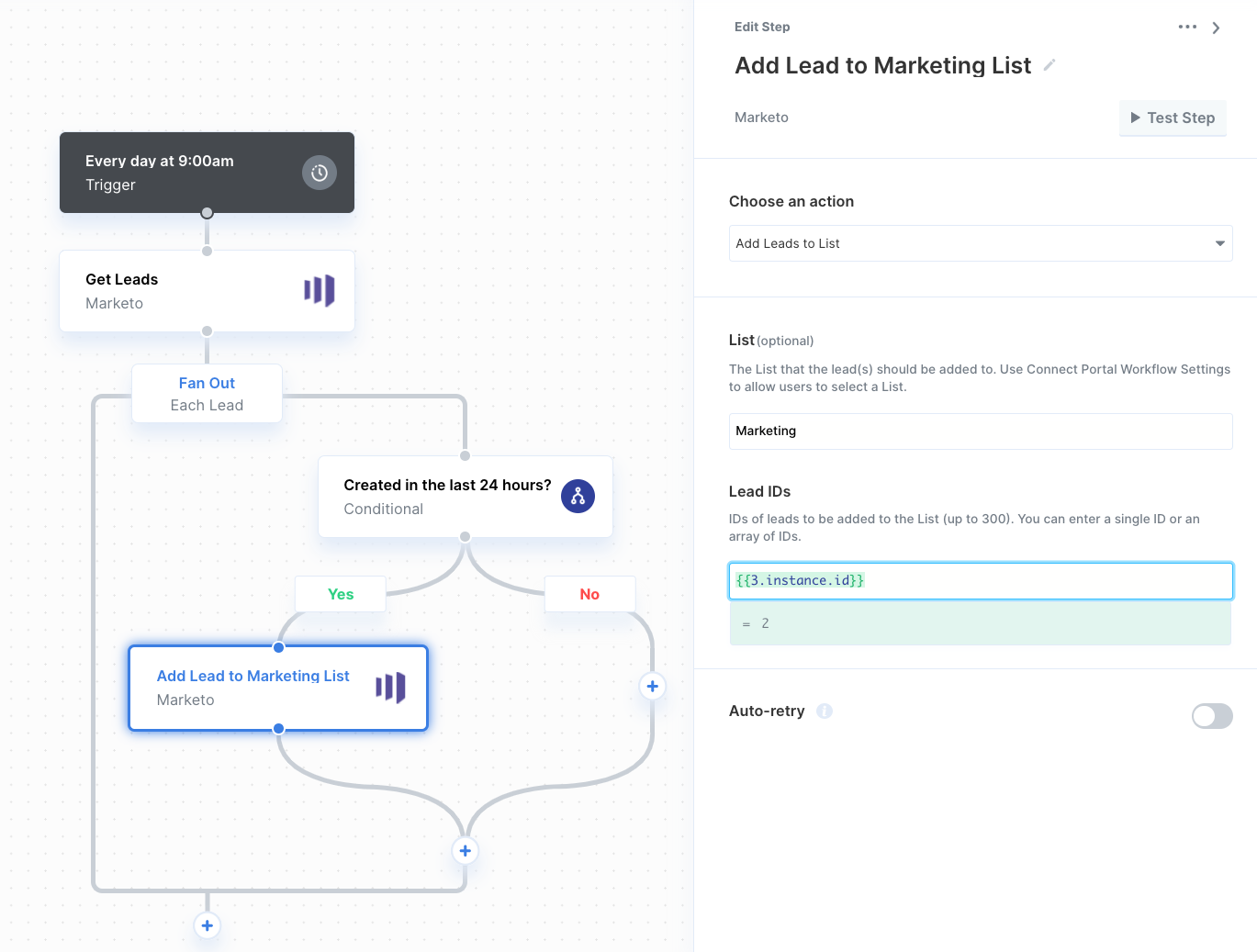
To add Marketo to Paragon, click the ”+” button in the workflow canvas and choose Marketo from the sidebar. Under Connect to a Marketo account, choose “Add new account for Marketo” and enter your account credentials.2. Query Marketo
Once your Marketo account is connected, you can add steps to perform the following actions:- Create or Update Lead
- Get Leads
- Get Lead by ID
- Add Leads to List
{{ to invoke the variable menu.