Overview
Collaborate with your team members to create and edit workflows. Paragon has two levels of users: Admin and Member. As an Admin, you have access to features and settings that Members do not. To add Team Members to your Organization in Paragon:1. Go to “Team Members” in Settings
Click on “Settings” in the sidebar, then click on “Team Members”.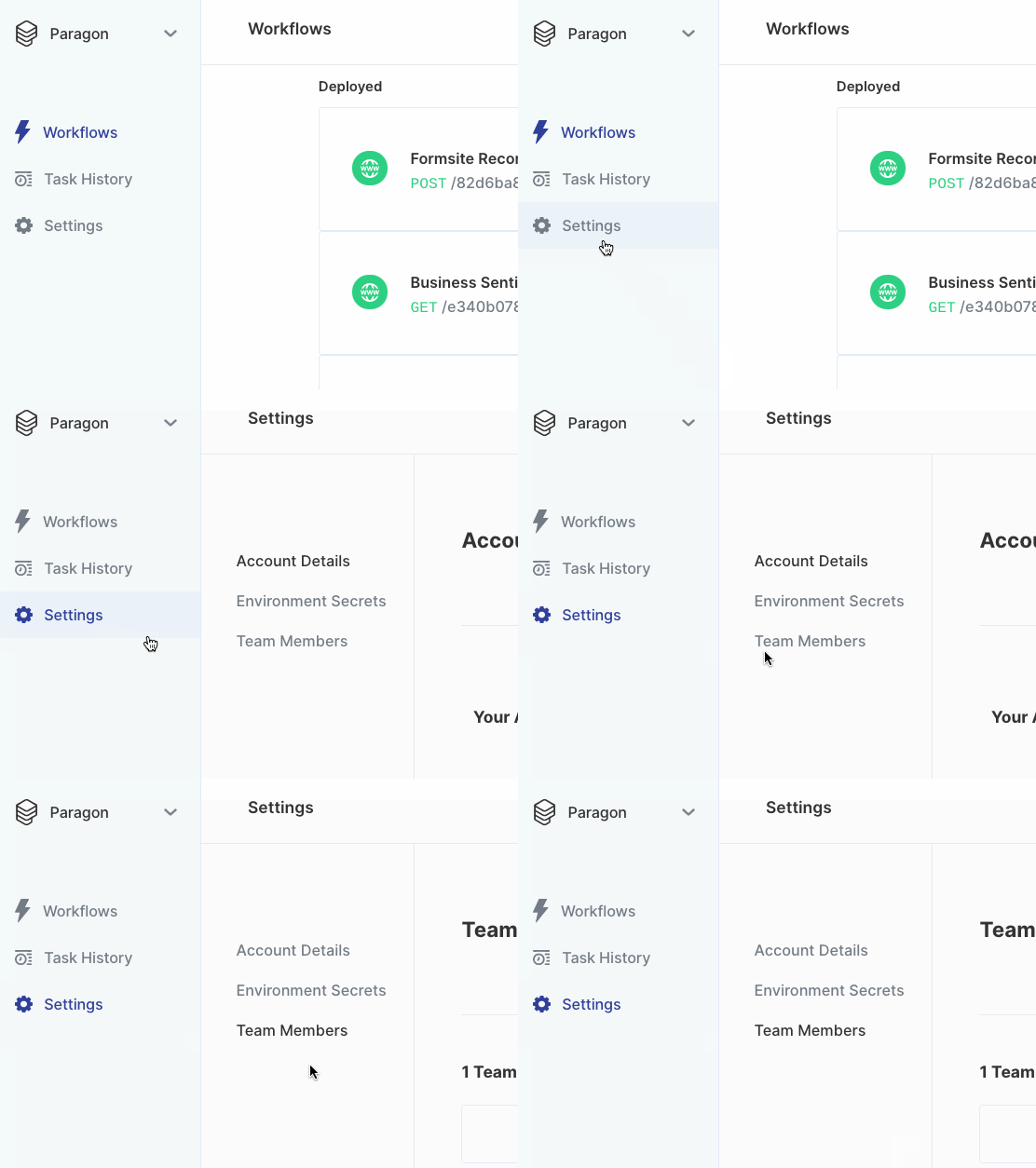
2. Add new team member information
Click the blue ”+ New Member” button to the right of the dashboard to invite team members to your Organization in Paragon.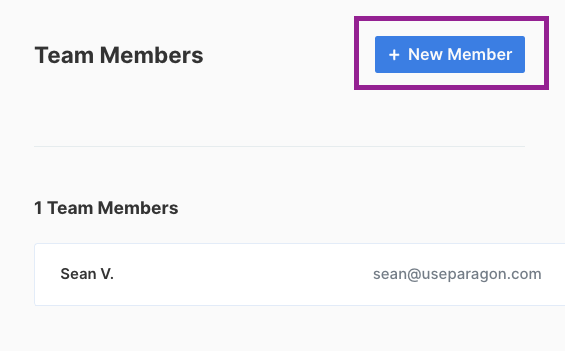
Visit our Pricing page for more information
on team sizes.
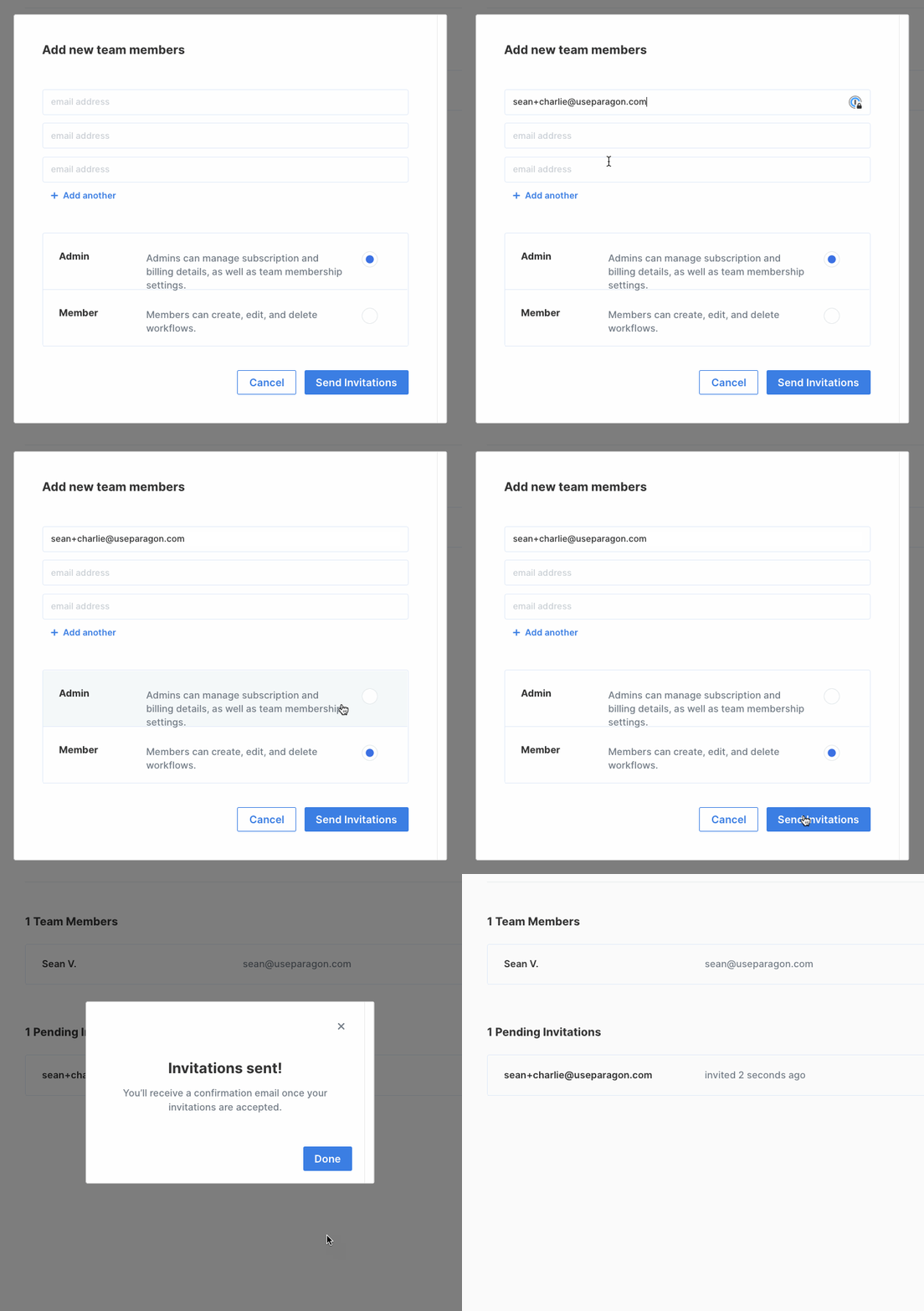
3. Select a Role and Send an Invitation
Managing Roles and Permissions
There are two types of roles Team Members can have in your Organization:| Permission | Member | Admin |
|---|---|---|
| Create workflows | ✅ | ✅ |
| Edit workflows | ✅ | ✅ |
| Delete workflows | ✅ | ✅ |
| Manage Subscription | ✅ | |
| Edit Billing Details | ✅ | |
| Update team membership settings | ✅ |
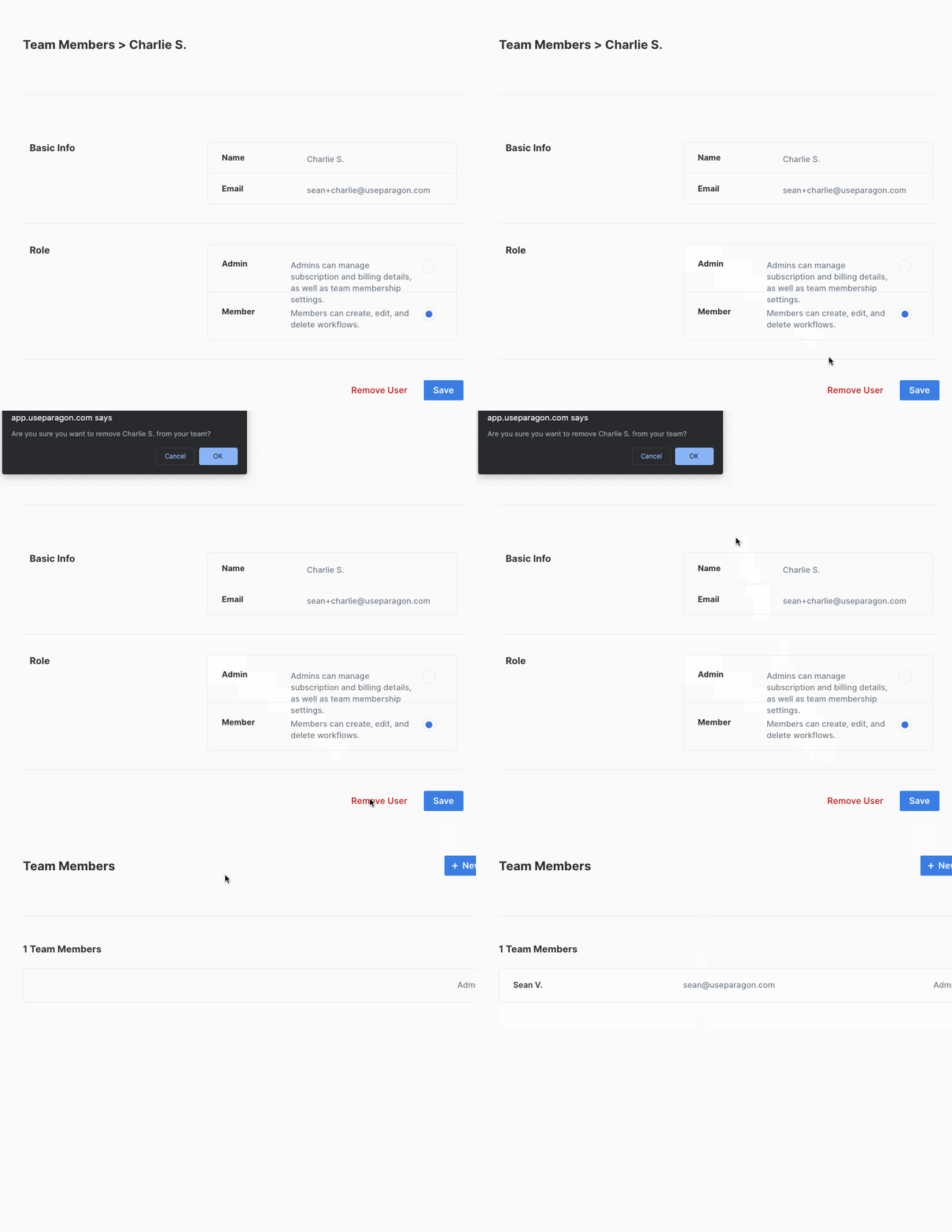
Removing a Team Member
Click on “Remove User” underneath the team member you’d like to remove. After confirming the deletion, the team member will be removed from your Organization.