

 Managed Sync
 ActionKit
 Workflows
Trigger Parameters
The SDK provides all available Trigger Parameters when you callparagon.getTriggers. You can also fetch the same schema directly from List Available Triggers.
Each trigger has a parameters field that will provide a list of Paragon-formatted Input Types that can be rendered and exposed to your users.
Response: Trigger definitions
id property of each input should be used as the key names of parameters when calling Subscribe to a Trigger. The values should be the input collected from your user.
Displaying Inputs
Render each trigger parameter based on itstype, and use paragon.getSourcesForActionInput to determine whether the input needs static or dynamic options.
JavaScript SDK
input.type. For example, TEXT, CODE, PASSWORD, and NUMBER can be rendered as text inputs; TEXTAREA can be rendered as a textarea; BOOLEAN_INPUT and SWITCH can be rendered as toggles.
Dropdown inputs
For static dropdowns,paragon.getSourcesForActionInput returns a STATIC_ENUM source. Render these values directly in your dropdown.
Some inputs require loading dynamic data from the user’s connected account. For example, the Salesforce: New Record trigger requires an Object selection to be made by your user:
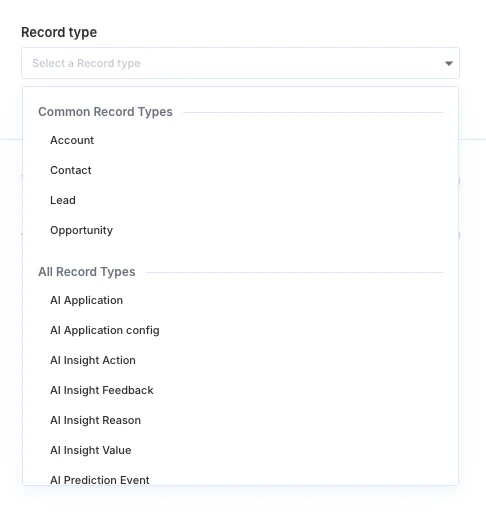
paragon.getSourcesForActionInput returns a DYNAMIC_DATA_SOURCE source. Pass the source to paragon.getFieldOptions, along with any dependency values required by source.refreshDependencies.
JavaScript SDK
Conditional inputs
ForCONDITIONAL inputs, render a filter builder UI, such as the below:
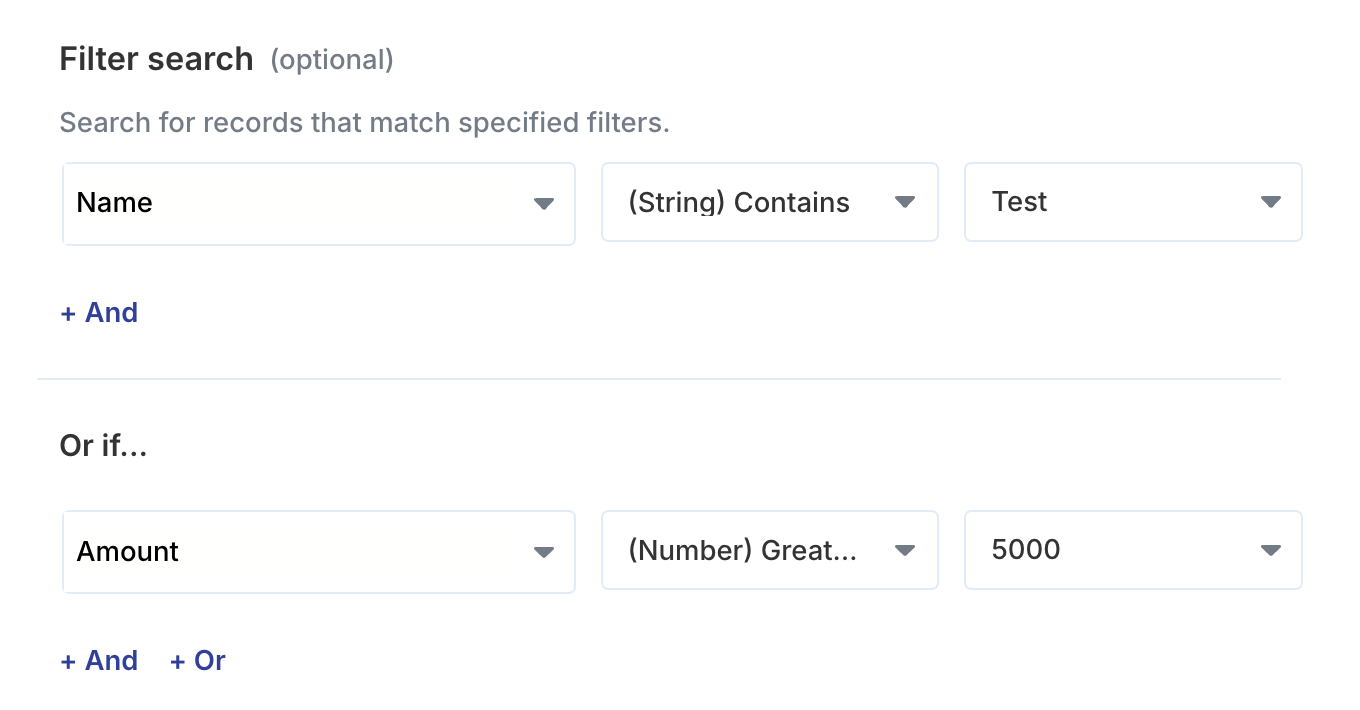
operator (OR or AND) and conditions properties; each condition contains the selected field, operator, and value.
JavaScript SDK
supportedKeys or a dynamic supportedKeysSource for listing out available options for field.
When the keys are dynamic, load them the same way you load dynamic dropdown options. Use supportedOperators to limit the operators available in your UI, and respect disableOrCondition if your filter builder supports OR groups.
JavaScript SDK
Subscribe to a Trigger request body
Input Types
Learn more about each Input Type and their UI requirements.
Loading Dynamic Data
Learn more about loading dynamic data from your user’s account with the SDK.