Managed Sync
 ActionKit
 Workflows
- Scheduler - runs automatically at a scheduled time or interval
- API Endpoint - runs when an HTTP request or webhook is sent to a trigger URL
- OAuth - runs when a user authenticates themselves via OAuth 2.0
- Event-based - runs automatically when the event condition is met
Scheduler
The Scheduler trigger is used for workflows that need to run automatically at a scheduled time or interval. For example, you might want to query your database every week for users who match certain criteria to add to a re-engagement campaign, or send a daily user activity report on Slack.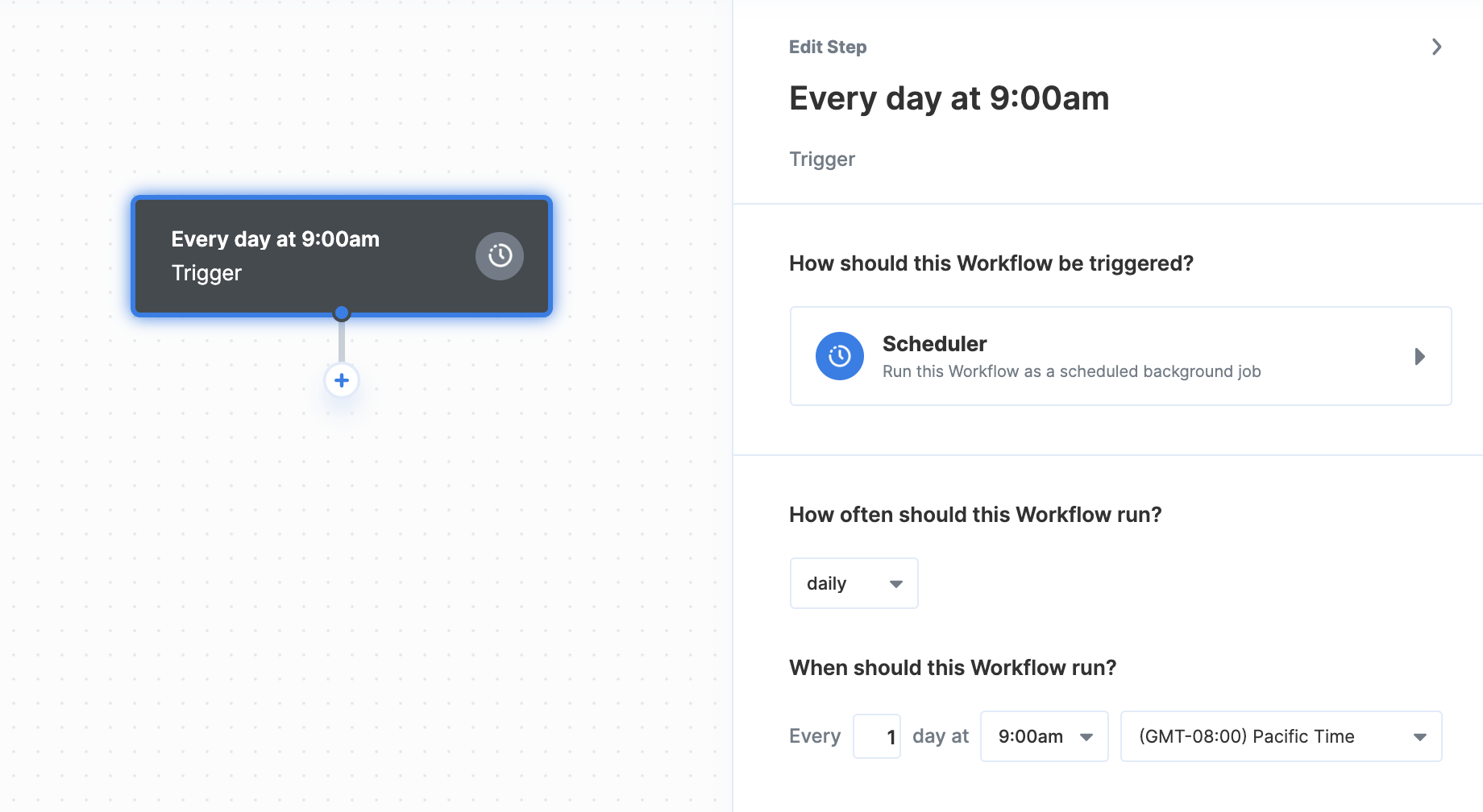
- Seconds (e.g. every 5 seconds)
- Minutes (e.g. every 30 minutes)
- Hourly (e.g. every hour at 15 minutes past the hour)
- Daily (e.g. every 2 days at 9:00 am)
- Weekly (every Monday at 12:00 pm)
API Endpoint
The API Endpoint trigger can be used to run workflows by sending it an HTTP request or webhook. This option also allows passing data from the incoming request into the workflow. For example, when a user uploads a document in your app, you could trigger a workflow that sends the document to an OCR API for processing before saving it to your database.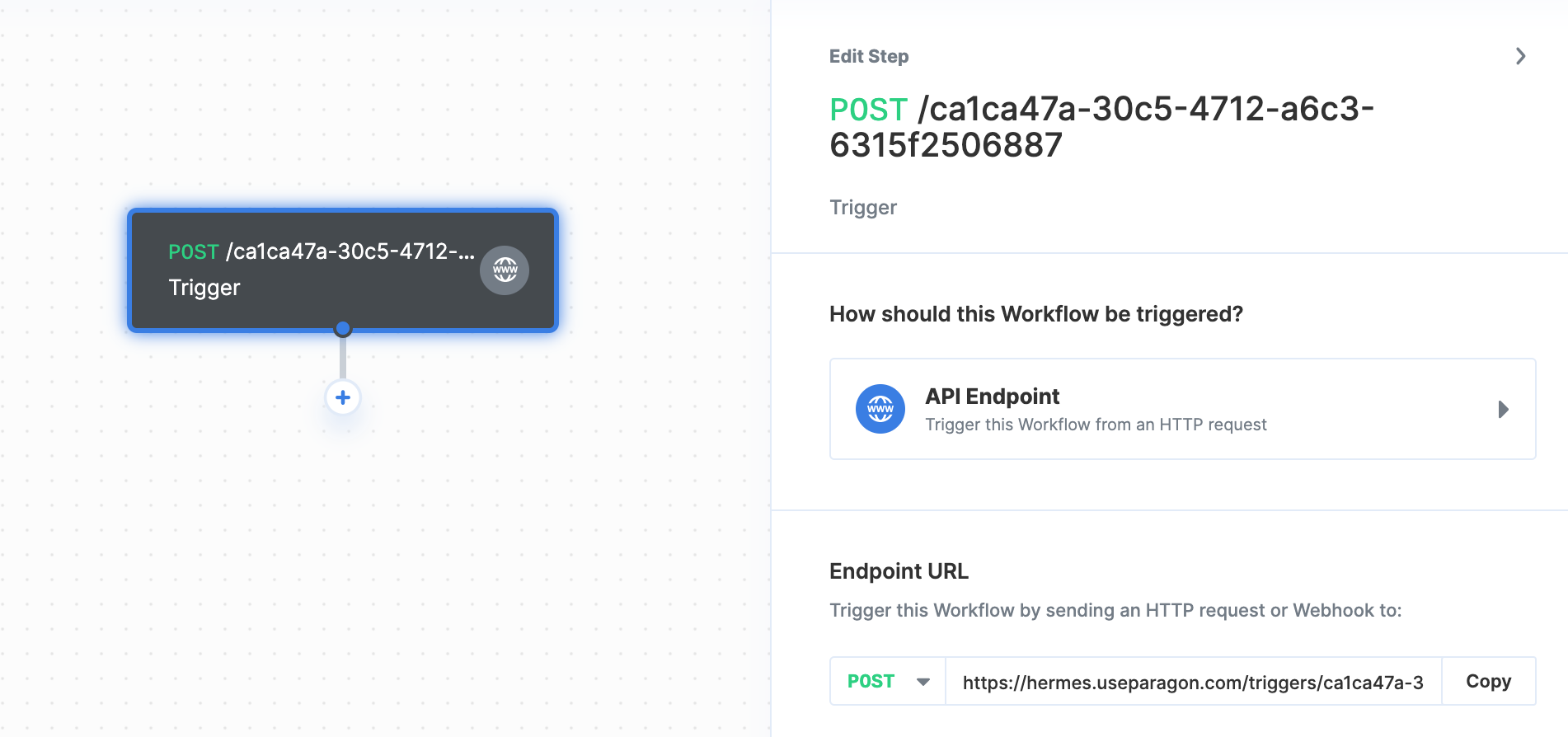
POST, though this can be changed by clicking the dropdown menu next to the request type.
Defining Test Data
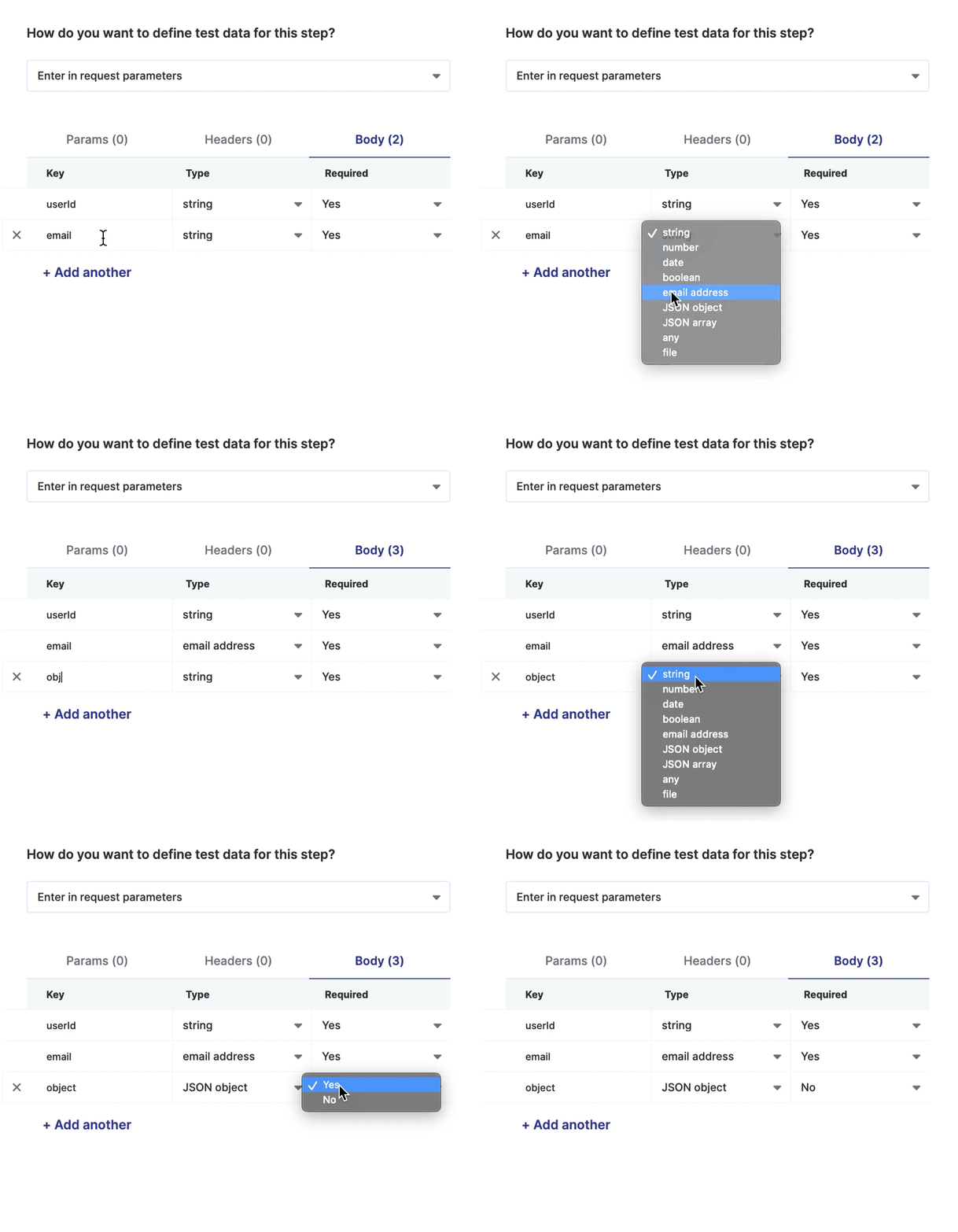
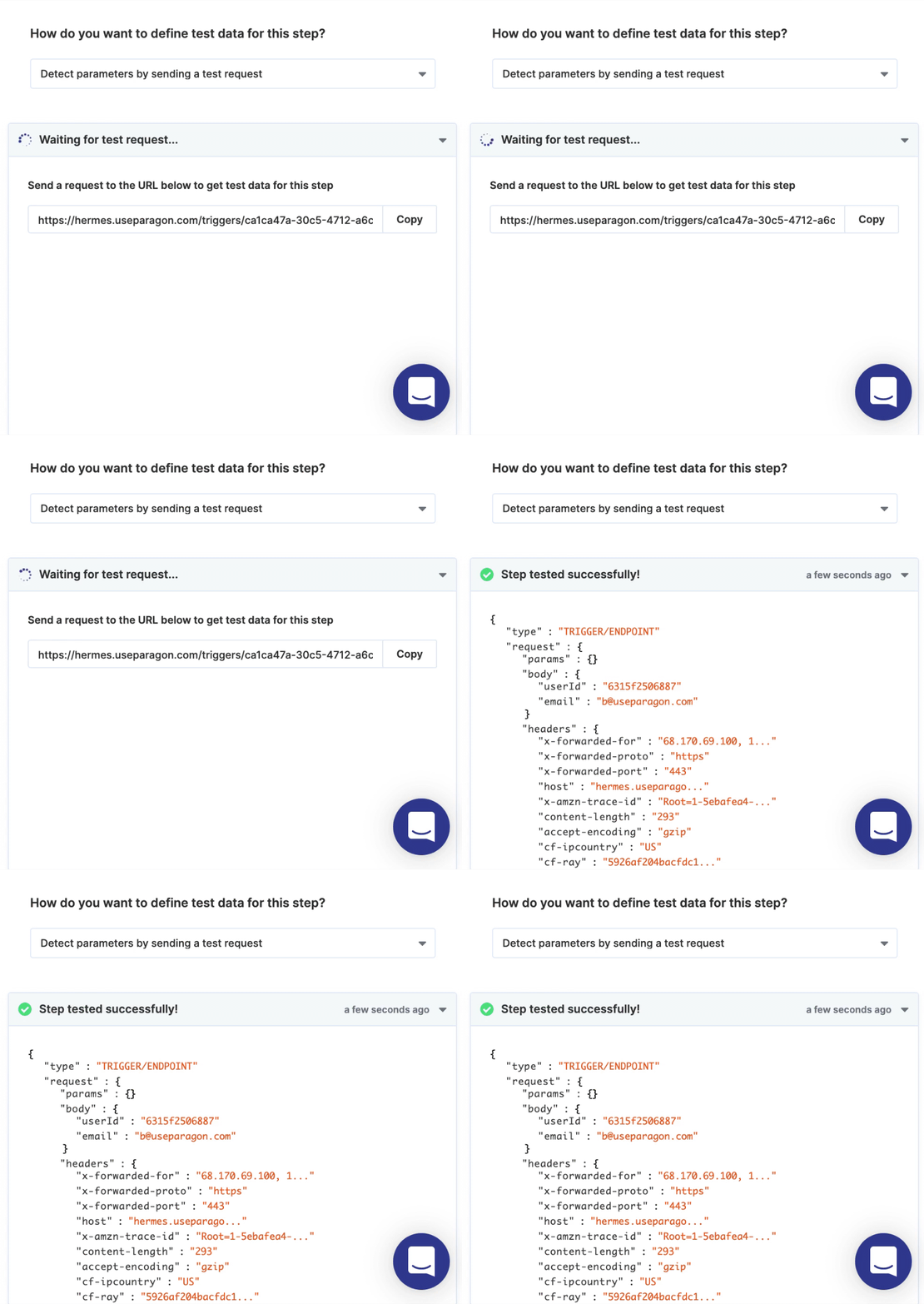
There are two ways to define what data you expect to be sent by incoming requests to the workflow:- Manually entering the expected request data
- Automatically detecting data by sending a test request
OAuth
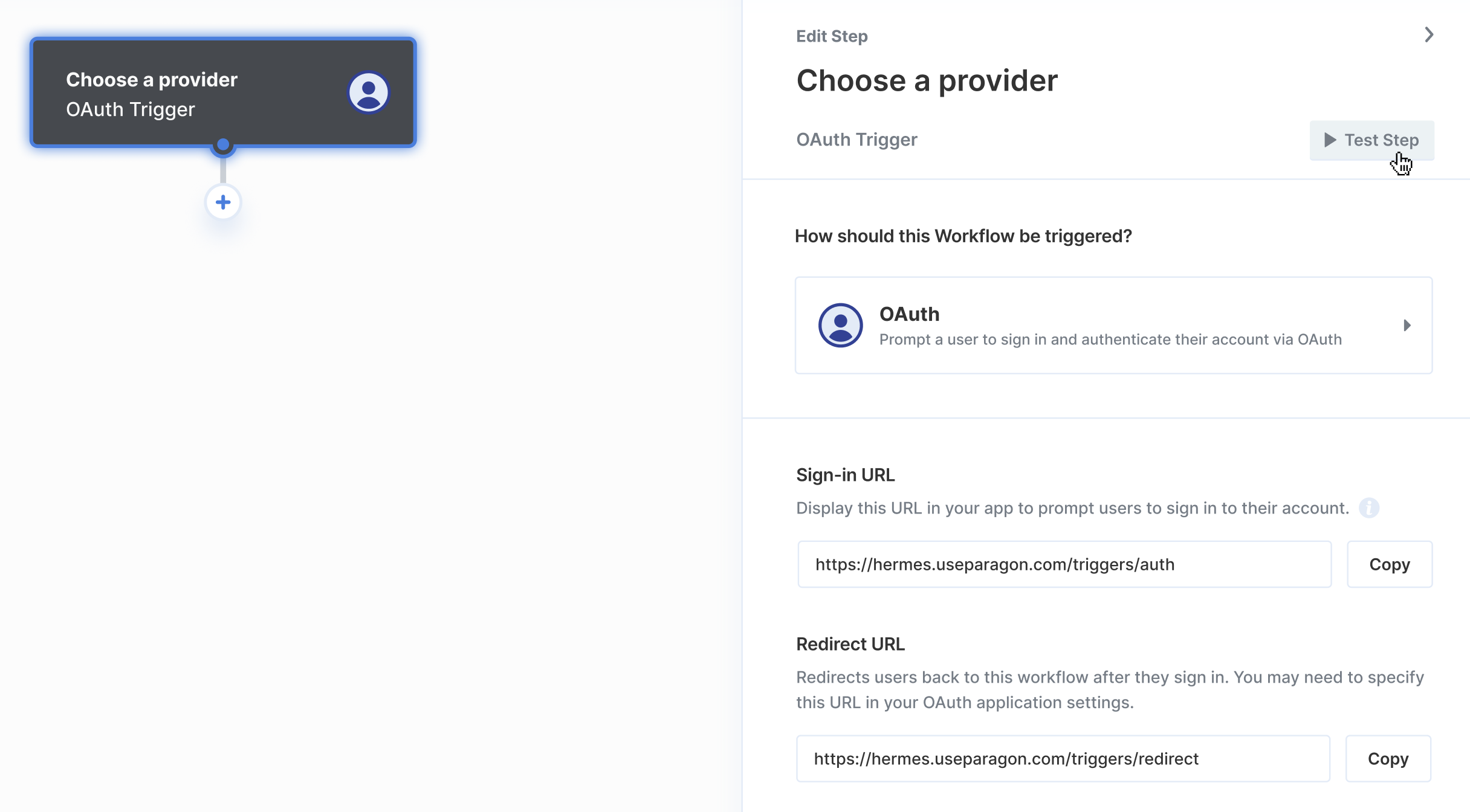
- Sign-in URL - Display the Sign-in URL in your app to prompt users to sign in to their account for the OAuth-enabled app.
- Redirect URL - Redirects user credentials back to your workflow after they sign in. You may need to specify this URL in your OAuth application settings.
Configuring OAuth
Event-based
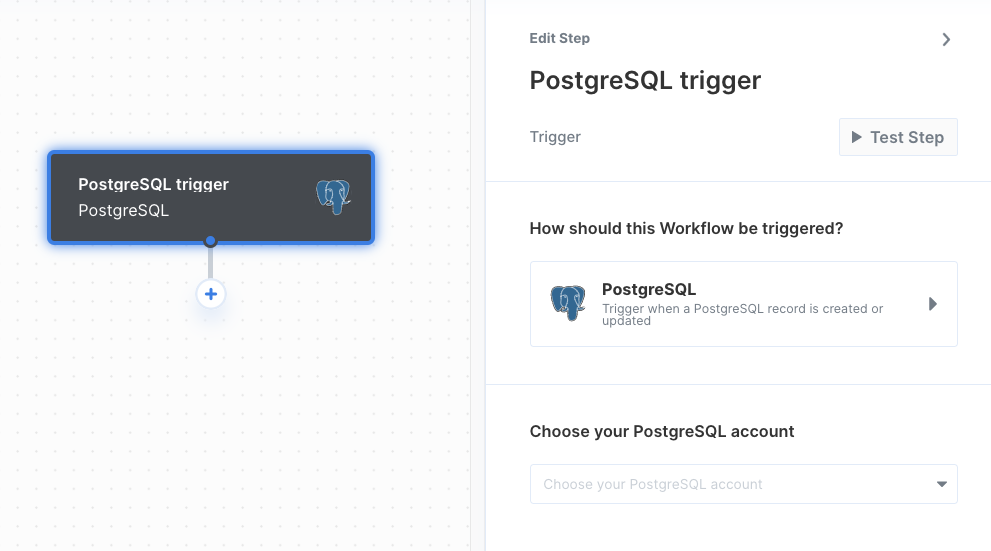
Event-based triggers can be used to run workflows when an event condition is met. For example, you might want to email new users as soon as their record is added to your PostgreSQL database. With an event-based trigger, Paragon checks for new data from your trigger in order to start your workflow.