> ## Documentation Index
> Fetch the complete documentation index at: https://docs.useparagon.com/llms.txt
> Use this file to discover all available pages before exploring further.
# Triggering Workflows in Workflows
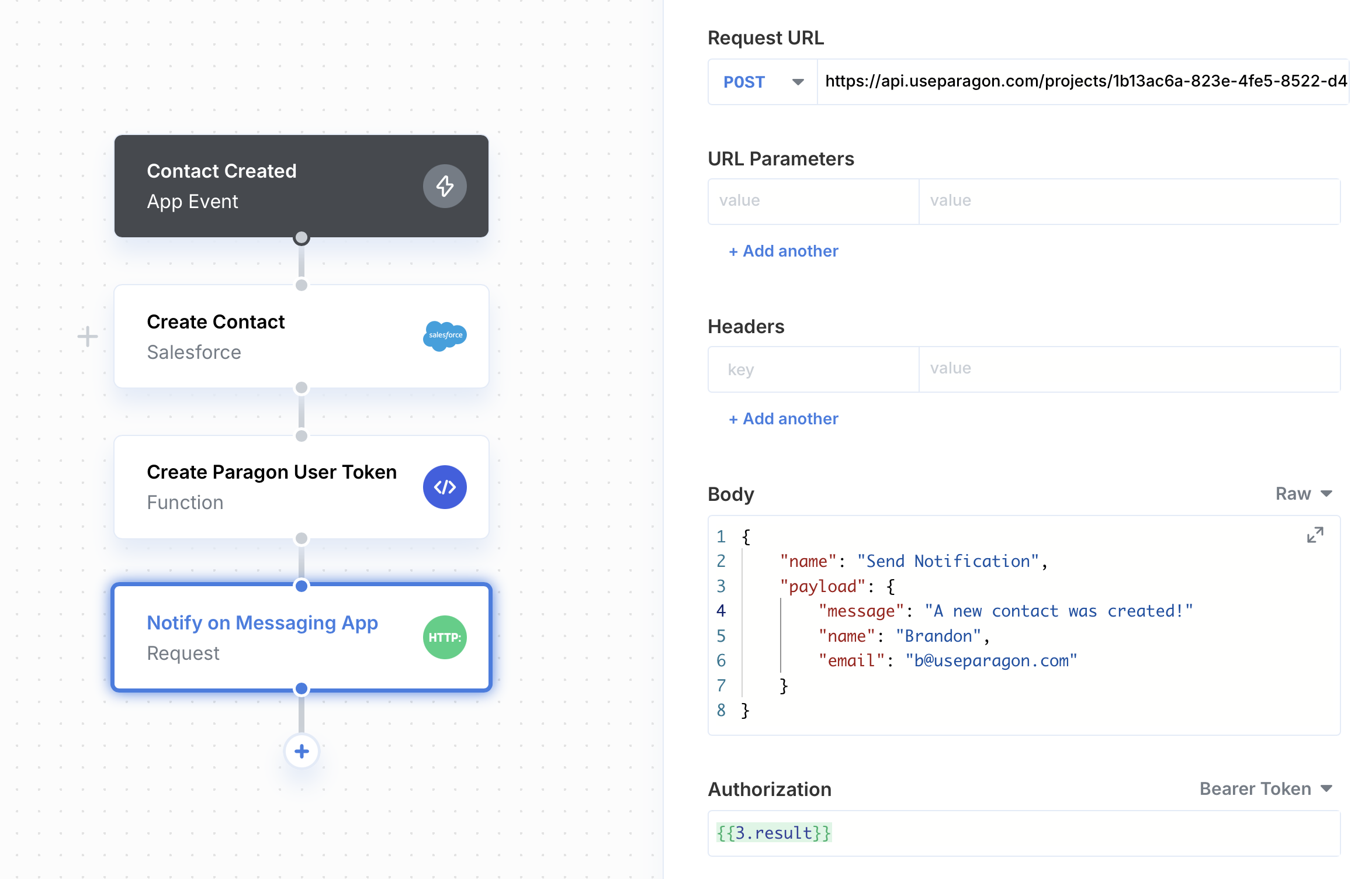
In the event that you need to trigger integration logic between different workflows, you can build a [Function](/workflows/functions) step that generates a [Paragon User Token](/getting-started/installing-the-connect-sdk#id-2.-generate-a-paragon-user-token) in order to trigger workflows via a subsequent [Request](/workflows/triggers/request-trigger) step.
1. Add your Paragon Signing Key as an [Environment Secret](/workflows/environment-secrets) in Paragon.
When adding your signing key as an Environment Secret, make sure to use the single-line "string" format instead of the multi-line "file" format. The key should be a single string with newlines represented as `\n`.
2. In the first workflow, add a Function step with the following code:
```js theme={null}
function yourFunction(parameters, libraries) {
// Import the jsonwebtoken library
const { jsonwebtoken } = libraries;
// Your Connected User's ID, taken from settings.userId
const userId = parameters.userId;
// Your Paragon Signing Key
const key = parameters.signingKey.replaceAll("\\n", "\n");
// Generate current timestamp
const currentTime = Math.floor(Date.now() / 1000);
// Generate your Paragon User Token
return jsonwebtoken.sign(
{
sub: userId,
iat: currentTime,
exp: currentTime + (60 * 60), // 1 hour from now
},
key,
{
algorithm: "RS256",
}
)
}
```
The function takes in the following parameters: `userId` and `signingKey`, which can be retrieved by using the [Dynamic Variable Menu](/workflows/using-dynamic-variables).
3. Add a Request step configured for the API Endpoint provided for your specific trigger type. You can more about Triggers and their endpoints [here](/workflows/triggers).