> ## Documentation Index
> Fetch the complete documentation index at: https://docs.useparagon.com/llms.txt
> Use this file to discover all available pages before exploring further.
# Implementing Custom Field Mapping
In the event that the integration provider does not have a native Field Mapping [User Setting](/connect-portal/workflow-user-settings), you can map the data in pulled from your application in a Paragon workflow.
#### In your application
1. Use the [Proxy API](/apis/proxy) to make a request to the integration provider to get the schema for a given object in your application.
2. Save the mapping to your [Connected User](/billing/connected-users) using [User Metadata](/apis/users).
#### In your Paragon workflow
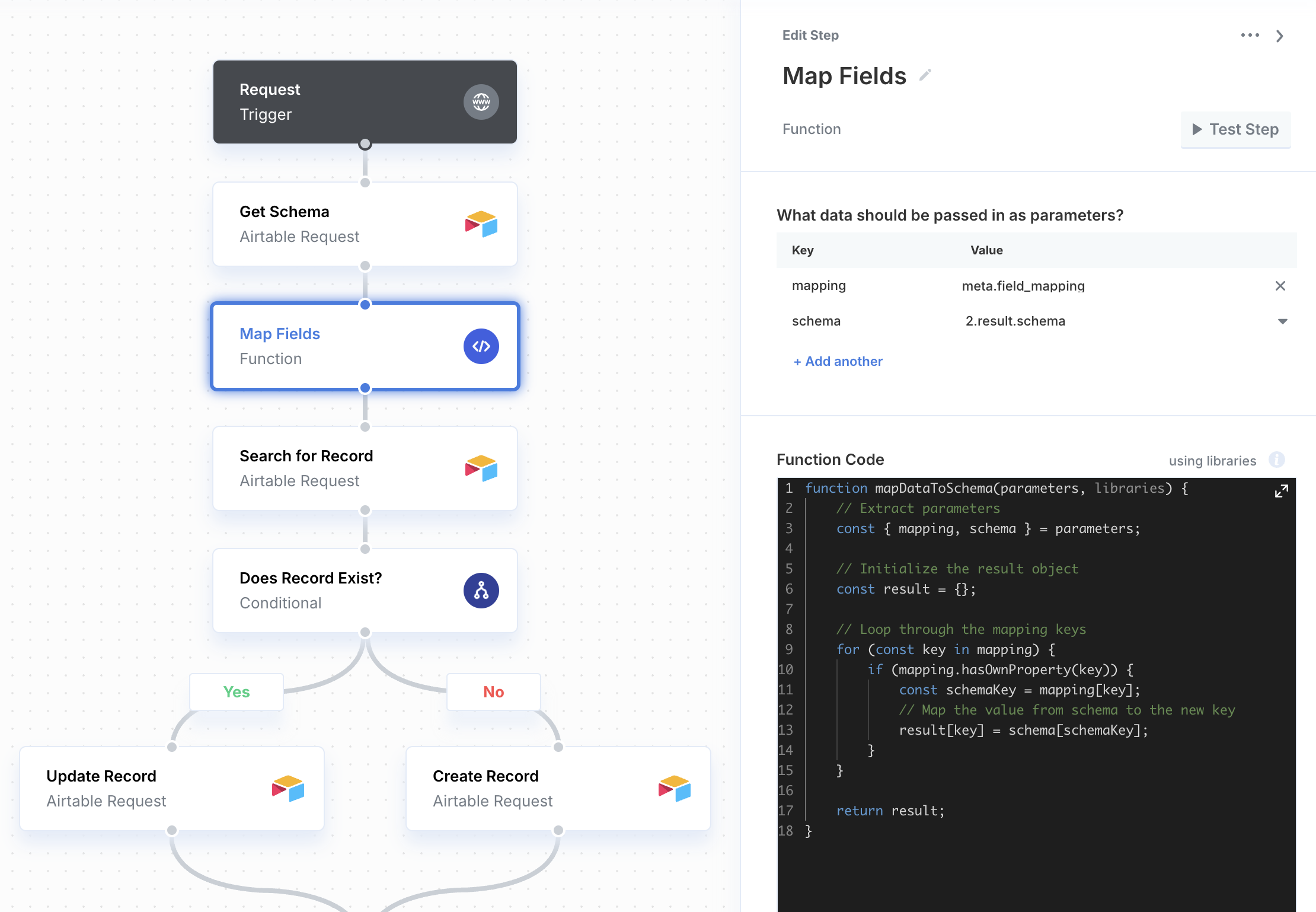
1. Add an integration step to retrieve the schema for the given record type. This can also be done by querying the record type for a single existing record.
2. Use a [Function](/workflows/functions) step to map the data from User Metadata to the data retrieved in the previous step.