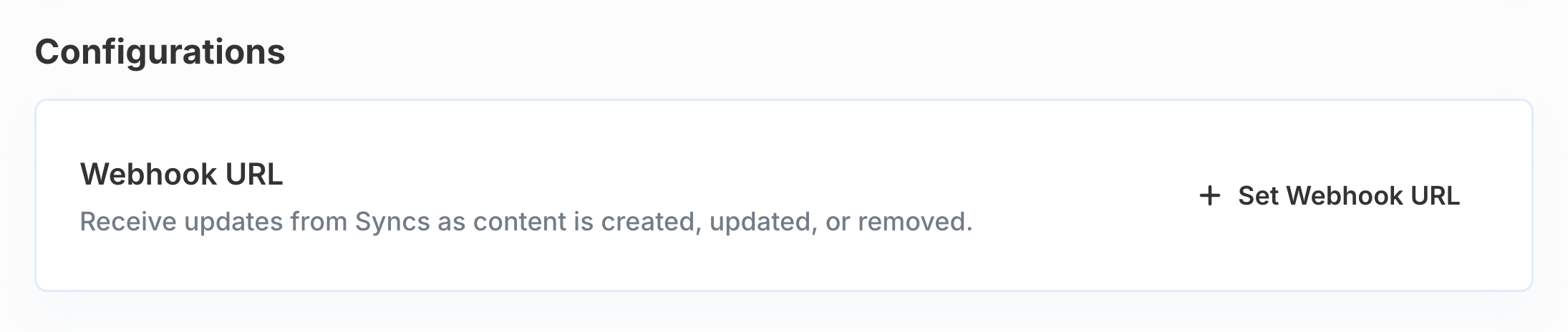
 Your Webhook URL must respond to `POST` requests with a 2xx HTTP status in a timely manner. If your webhook fails to respond repeatedly, we may disable your webhook.
## Receiving Webhook Events
All webhook events will be sent to your configured Webhook URL as a `POST` request.
Each webhook event will include the following standard properties to identify the related Sync and User:
```json theme={null}
{
"event": "[event type]",
"sync": "[integration name]",
"syncInstanceId": "[ID of Sync]",
"credentialId": "[ID of credential used]",
"user": {
"id": "[ID of Connected User]"
}
}
```
## Event Types
The full list of possible `event` type values are as follows:
* `sync_complete`
* `sync_errored`
* `record_created`
* `record_updated`
* `record_deleted`
* `record_errored`
### `sync_complete`
This event is sent when an [Initial Sync](/managed-sync/sync-api#sync-lifecycle) has completed successfully.
```json Example payload expandable theme={null}
{
"event": "sync_complete",
"syncInstanceId": "163a345e-2dd4-51ff-bcf5-7667de564bb0",
"sync": "googledrive",
"credentialId": "0aea7d3a-b5f7-4488-890e-d51a5cf4f8f1",
"user": {
"id": "user_01JH448D13EX2BE1SC1GXVT05R"
},
"data": {
"model": "files",
"syncedAt": "2025-07-07T19:00:00.000Z",
"numRecords": 1000
}
}
```
### `sync_errored`
This event is sent when a Sync has failed with a non-recoverable error and cannot continue without intervention. After this event is sent, the Sync `status` field will be set to `ERRORED`.
Paragon only emits `sync_errored` for non-recoverable (permanent) errors. Transient errors like rate limits (HTTP 429), temporary network failures, and expired access tokens are handled automatically by Managed Sync with backoff and retry logic — they do not trigger this webhook, and no action is required on your part.
The most common category of non-recoverable errors is **credential errors**, which occur when the end user's connected credential is no longer valid (for example, the user has revoked access, deleted the credential, or the refresh token has permanently expired). These errors require the end user to reconnect the integration through the [Connect Portal](/connect-portal/overview) before the Sync can resume.
```json Credential error expandable theme={null}
{
"event": "sync_errored",
"syncInstanceId": "f543fd08-5d36-56d7-bd5e-8306e82acb16",
"sync": "googledrive",
"credentialId": "0aea7d3a-b5f7-4488-890e-d51a5cf4f8f1",
"user": {
"id": "user_01JH448D13EX2BE1SC1GXVT05R"
},
"error": {
"code": "PROXY_7300",
"message": "Credential ID 0aea7d3a-b5f7-4488-890e-d51a5cf4f8f1 is no longer valid or has been deleted."
}
}
```
Other non-recoverable errors include things like insufficient permissions on the connected account, invalid sync configuration, or an integration being disabled for the project. In all cases, the Sync will remain in the `ERRORED` state until the underlying issue is resolved and the Sync is [re-enabled](/managed-sync/api/reenable-sync).
The `error` object includes a stable `code` field you can use for programmatic handling. See the [error code reference](#error-codes) below for a full list of codes and recommended actions.
### `record_created`
This event is sent when a Sync has discovered a new record (determined by a permanent ID or path available in the integration provider) during its [Incremental Sync](/managed-sync/sync-api#sync-lifecycle).
Create events do not provide any record data as a part of the event payload, but you can use the [Get Synced Record](/managed-sync/api/get-synced-record) endpoint to get the latest data.
```json Example payload expandable theme={null}
{
"event": "record_created",
"syncInstanceId": "163a345e-2dd4-51ff-bcf5-7667de564bb0",
"sync": "googledrive",
"credentialId": "0aea7d3a-b5f7-4488-890e-d51a5cf4f8f1",
"user": {
"id": "user_01JH448D13EX2BE1SC1GXVT05R"
},
"data": {
"recordId": "3ce16e33-0163-564d-98ce-99b0a25ab375",
"model": "files"
}
}
```
### `record_updated`
This event is sent when a Sync has discovered an update to an existing record during its [Incremental Sync](/managed-sync/sync-api#sync-lifecycle).
Update events do not provide any record data as a part of the event payload, but you can use the [Get Synced Record](/managed-sync/api/get-synced-record) endpoint to get the latest data.
```json Example payload expandable theme={null}
{
"event": "record_updated",
"syncInstanceId": "163a345e-2dd4-51ff-bcf5-7667de564bb0",
"sync": "googledrive",
"credentialId": "0aea7d3a-b5f7-4488-890e-d51a5cf4f8f1",
"user": {
"id": "user_01JH448D13EX2BE1SC1GXVT05R"
},
"data": {
"recordId": "3ce16e33-0163-564d-98ce-99b0a25ab375",
"model": "files"
}
}
```
### `record_deleted`
This event is sent when a Sync has discovered that a record has been deleted or is otherwise unavailable to the connected account (for example, the record's access has been revoked from your user).
When records are deleted, the contents of their metadata are removed from the Sync, and you can no longer retrieve the synced object or its associated file data. However, the [Pull Synced Records](/managed-sync/api/pull-synced-records) endpoint will provide a sparse entry with the `id` and `external_id` property for visibility on the deletion.
These events are sent after a successful [Periodic Full Sync](/managed-sync/sync-api#sync-lifecycle).
```json Example payload expandable theme={null}
{
"event": "record_deleted",
"syncInstanceId": "0df4921d-0ac4-5c90-b30e-7a9da9c2d02f",
"sync": "googledrive",
"credentialId": "0aea7d3a-b5f7-4488-890e-d51a5cf4f8f1",
"user": {
"id": "user_01JH448D13EX2BE1SC1GXVT05R"
},
"data": {
"model": "files",
"recordId": "3ce16e33-0163-564d-98ce-99b0a25ab375"
}
}
```
### `record_errored`
This event is sent when a Sync has encountered an error while processing a record (for example, fetching permission data for this record). This event does not affect the Sync's `status` field, and the Sync will continue processing other records.
```json Example payload expandable theme={null}
{
"event": "record_errored",
"syncInstanceId": "0df4921d-0ac4-5c90-b30e-7a9da9c2d02f",
"sync": "googledrive",
"credentialId": "0aea7d3a-b5f7-4488-890e-d51a5cf4f8f1",
"user": {
"id": "user_01JH448D13EX2BE1SC1GXVT05R"
},
"error": {
"message": "Request failed with status code 404",
"recordId": "68c3e715-b466-544f-ba2a-165973d85a58",
"model": "files"
}
}
```
## Error Codes
The `error` object in error webhook payloads (including `sync_errored` or `record_errored`) include a stable `code` field alongside the human-readable `message`.
Use this field for programmatically reacting to known error types and taking suggested actions (listed below).
### Credential errors
These errors indicate the user's connected credential is invalid, expired, or has been removed. All credential errors include the message: "Credential ID \
Your Webhook URL must respond to `POST` requests with a 2xx HTTP status in a timely manner. If your webhook fails to respond repeatedly, we may disable your webhook.
## Receiving Webhook Events
All webhook events will be sent to your configured Webhook URL as a `POST` request.
Each webhook event will include the following standard properties to identify the related Sync and User:
```json theme={null}
{
"event": "[event type]",
"sync": "[integration name]",
"syncInstanceId": "[ID of Sync]",
"credentialId": "[ID of credential used]",
"user": {
"id": "[ID of Connected User]"
}
}
```
## Event Types
The full list of possible `event` type values are as follows:
* `sync_complete`
* `sync_errored`
* `record_created`
* `record_updated`
* `record_deleted`
* `record_errored`
### `sync_complete`
This event is sent when an [Initial Sync](/managed-sync/sync-api#sync-lifecycle) has completed successfully.
```json Example payload expandable theme={null}
{
"event": "sync_complete",
"syncInstanceId": "163a345e-2dd4-51ff-bcf5-7667de564bb0",
"sync": "googledrive",
"credentialId": "0aea7d3a-b5f7-4488-890e-d51a5cf4f8f1",
"user": {
"id": "user_01JH448D13EX2BE1SC1GXVT05R"
},
"data": {
"model": "files",
"syncedAt": "2025-07-07T19:00:00.000Z",
"numRecords": 1000
}
}
```
### `sync_errored`
This event is sent when a Sync has failed with a non-recoverable error and cannot continue without intervention. After this event is sent, the Sync `status` field will be set to `ERRORED`.
Paragon only emits `sync_errored` for non-recoverable (permanent) errors. Transient errors like rate limits (HTTP 429), temporary network failures, and expired access tokens are handled automatically by Managed Sync with backoff and retry logic — they do not trigger this webhook, and no action is required on your part.
The most common category of non-recoverable errors is **credential errors**, which occur when the end user's connected credential is no longer valid (for example, the user has revoked access, deleted the credential, or the refresh token has permanently expired). These errors require the end user to reconnect the integration through the [Connect Portal](/connect-portal/overview) before the Sync can resume.
```json Credential error expandable theme={null}
{
"event": "sync_errored",
"syncInstanceId": "f543fd08-5d36-56d7-bd5e-8306e82acb16",
"sync": "googledrive",
"credentialId": "0aea7d3a-b5f7-4488-890e-d51a5cf4f8f1",
"user": {
"id": "user_01JH448D13EX2BE1SC1GXVT05R"
},
"error": {
"code": "PROXY_7300",
"message": "Credential ID 0aea7d3a-b5f7-4488-890e-d51a5cf4f8f1 is no longer valid or has been deleted."
}
}
```
Other non-recoverable errors include things like insufficient permissions on the connected account, invalid sync configuration, or an integration being disabled for the project. In all cases, the Sync will remain in the `ERRORED` state until the underlying issue is resolved and the Sync is [re-enabled](/managed-sync/api/reenable-sync).
The `error` object includes a stable `code` field you can use for programmatic handling. See the [error code reference](#error-codes) below for a full list of codes and recommended actions.
### `record_created`
This event is sent when a Sync has discovered a new record (determined by a permanent ID or path available in the integration provider) during its [Incremental Sync](/managed-sync/sync-api#sync-lifecycle).
Create events do not provide any record data as a part of the event payload, but you can use the [Get Synced Record](/managed-sync/api/get-synced-record) endpoint to get the latest data.
```json Example payload expandable theme={null}
{
"event": "record_created",
"syncInstanceId": "163a345e-2dd4-51ff-bcf5-7667de564bb0",
"sync": "googledrive",
"credentialId": "0aea7d3a-b5f7-4488-890e-d51a5cf4f8f1",
"user": {
"id": "user_01JH448D13EX2BE1SC1GXVT05R"
},
"data": {
"recordId": "3ce16e33-0163-564d-98ce-99b0a25ab375",
"model": "files"
}
}
```
### `record_updated`
This event is sent when a Sync has discovered an update to an existing record during its [Incremental Sync](/managed-sync/sync-api#sync-lifecycle).
Update events do not provide any record data as a part of the event payload, but you can use the [Get Synced Record](/managed-sync/api/get-synced-record) endpoint to get the latest data.
```json Example payload expandable theme={null}
{
"event": "record_updated",
"syncInstanceId": "163a345e-2dd4-51ff-bcf5-7667de564bb0",
"sync": "googledrive",
"credentialId": "0aea7d3a-b5f7-4488-890e-d51a5cf4f8f1",
"user": {
"id": "user_01JH448D13EX2BE1SC1GXVT05R"
},
"data": {
"recordId": "3ce16e33-0163-564d-98ce-99b0a25ab375",
"model": "files"
}
}
```
### `record_deleted`
This event is sent when a Sync has discovered that a record has been deleted or is otherwise unavailable to the connected account (for example, the record's access has been revoked from your user).
When records are deleted, the contents of their metadata are removed from the Sync, and you can no longer retrieve the synced object or its associated file data. However, the [Pull Synced Records](/managed-sync/api/pull-synced-records) endpoint will provide a sparse entry with the `id` and `external_id` property for visibility on the deletion.
These events are sent after a successful [Periodic Full Sync](/managed-sync/sync-api#sync-lifecycle).
```json Example payload expandable theme={null}
{
"event": "record_deleted",
"syncInstanceId": "0df4921d-0ac4-5c90-b30e-7a9da9c2d02f",
"sync": "googledrive",
"credentialId": "0aea7d3a-b5f7-4488-890e-d51a5cf4f8f1",
"user": {
"id": "user_01JH448D13EX2BE1SC1GXVT05R"
},
"data": {
"model": "files",
"recordId": "3ce16e33-0163-564d-98ce-99b0a25ab375"
}
}
```
### `record_errored`
This event is sent when a Sync has encountered an error while processing a record (for example, fetching permission data for this record). This event does not affect the Sync's `status` field, and the Sync will continue processing other records.
```json Example payload expandable theme={null}
{
"event": "record_errored",
"syncInstanceId": "0df4921d-0ac4-5c90-b30e-7a9da9c2d02f",
"sync": "googledrive",
"credentialId": "0aea7d3a-b5f7-4488-890e-d51a5cf4f8f1",
"user": {
"id": "user_01JH448D13EX2BE1SC1GXVT05R"
},
"error": {
"message": "Request failed with status code 404",
"recordId": "68c3e715-b466-544f-ba2a-165973d85a58",
"model": "files"
}
}
```
## Error Codes
The `error` object in error webhook payloads (including `sync_errored` or `record_errored`) include a stable `code` field alongside the human-readable `message`.
Use this field for programmatically reacting to known error types and taking suggested actions (listed below).
### Credential errors
These errors indicate the user's connected credential is invalid, expired, or has been removed. All credential errors include the message: "Credential ID \| Code | Description |
|---|---|
PROXY\_7300 PROXY\_7301 PROXY\_7306 PROXY\_7317 |
Credential not found (can occur if the credential that the sync is explicitly bound to has been deleted) |
PROXY\_7303 |
Credential is in an invalid state (e.g. revoked or expired) |
PROXY\_7311 |
Credential configuration not found |
PROXY\_7325 |
Credential not found for external ID |
PROXY\_01101 |
Credential could not be decrypted (deleted or corrupted) |
PROXY\_11002 |
Integration is not enabled for this user |
| Code | Description |
|---|---|
PROXY\_401 |
Third-party API rejected the request as unauthorized |
PROXY\_403 |
Third-party API rejected the request as forbidden (insufficient permissions or scopes) |
| Code | Description |
|---|---|
10006 |
A required sync configuration parameter is missing or invalid. |
10007 |
Root resource not found A root resource selected when the sync was created (such as a folder, site, space, or drive) is no longer accessible in the third-party service. This typically means the resource has been deleted, moved, or the end user has lost access to it. Recreate the sync with a valid root resource. |
| Code | Description |
|---|---|
10003 |
The sync has reached its trial record limit. Contact your Customer Success Manager to upgrade your account limits. |
| Code | Description |
|---|---|
10001 |
Pipeline does not support permissions The sync attempted a permission-based operation that the integration does not support. |
10004 |
Job stalled more than allowable limit The sync job became unresponsive after multiple retry attempts. |
10005 |
Failed to download content The sync was unable to download file content from the third-party service. |
20005 |
Authorization model not found An internal permissions model required by the sync could not be located. |
00000 |
Varies An unclassified error occurred. Refer to the message field for details. |