> ## Documentation Index
> Fetch the complete documentation index at: https://docs.useparagon.com/llms.txt
> Use this file to discover all available pages before exploring further.
# Building with Agents
> Use Paragon's Agent Skills directly with your agentic IDE of choice
## Paragon Skill
**The Paragon Skill is used within your coding agent** (Claude Code, Cursor, Codex, OpenCode, etc.) to help you **set up Paragon in your application**.
The Paragon Skill provides your agent with context on how to:
1. **Set up the [Paragon SDK](/getting-started/installing-the-connect-sdk)**.
2. **Embed the [Connect Portal](/connect-portal/connect-portal-customization)**, a prebuilt component to guide your users through integration connection flows.
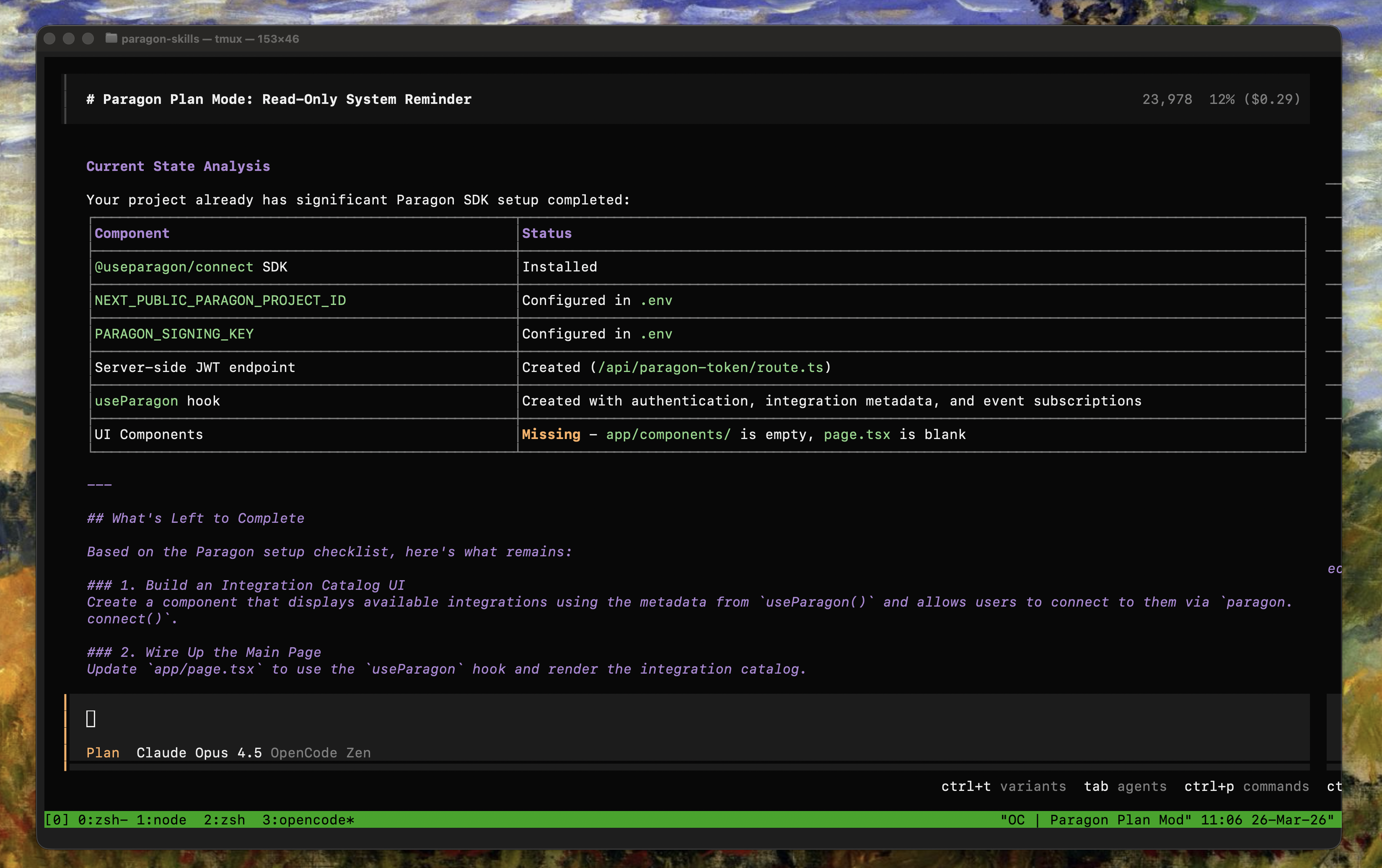 After running these setup steps, you'll have everything you need to get started with [ActionKit](/actionkit/overview), [Managed Sync](/managed-sync/overview), and [Workflows](/workflows/overview).
## Getting Started
### Recommended: Installing via the Skills CLI
The `npx skills` CLI by Vercel automatically adds the Paragon Skill for the most popular agentic IDEs.
```bash theme={null}
npx skills add useparagon/paragon-skills
```
Update the Paragon Skill with the following command:
```bash theme={null}
npx skills update
```
### Alternative: Manual Installation
1. Navigate to the `skills/` directory for your agentic IDE of choice, e.g.
```
~/.cursor/skills/
~/.claude/skills/
~/.agents/skills/
~/.config/opencode/skills/
```
2. Clone the [Paragon Skills Repo](https://github.com/useparagon/paragon-skills) in the `skills/` directory:
```bash theme={null}
git clone https://github.com/useparagon/paragon-skills.git
```
## Using the Skill
Your agent should naturally detect when the Paragon Skill is needed.
In some cases, it may be useful to reference the skill directly by name (i.e. "Using the Paragon Setup Skill..." or "/paragon-setup-skill").
### Starter Prompts
```markdown Add the Paragon SDK wrap theme={null}
/paragon-setup-skill Look at my app and set up the Paragon SDK, including all dependencies and required setup steps.
I will provide the following environment variables for your reference:
- `PARAGON_PROJECT_ID`: The Paragon Project UUID.
- `PARAGON_SIGNING_KEY`: The Signing Key as a PKCS8-encoded private key.
```
```markdown Build an integration catalog wrap theme={null}
/paragon-setup-skill Build an integration catalog for the integrations defined in my Paragon project.
```
```markdown Add JWT signing theme={null}
/paragon-setup-skill Set up auth for using the Paragon SDK.
```
After running these setup steps, you'll have everything you need to get started with [ActionKit](/actionkit/overview), [Managed Sync](/managed-sync/overview), and [Workflows](/workflows/overview).
## Getting Started
### Recommended: Installing via the Skills CLI
The `npx skills` CLI by Vercel automatically adds the Paragon Skill for the most popular agentic IDEs.
```bash theme={null}
npx skills add useparagon/paragon-skills
```
Update the Paragon Skill with the following command:
```bash theme={null}
npx skills update
```
### Alternative: Manual Installation
1. Navigate to the `skills/` directory for your agentic IDE of choice, e.g.
```
~/.cursor/skills/
~/.claude/skills/
~/.agents/skills/
~/.config/opencode/skills/
```
2. Clone the [Paragon Skills Repo](https://github.com/useparagon/paragon-skills) in the `skills/` directory:
```bash theme={null}
git clone https://github.com/useparagon/paragon-skills.git
```
## Using the Skill
Your agent should naturally detect when the Paragon Skill is needed.
In some cases, it may be useful to reference the skill directly by name (i.e. "Using the Paragon Setup Skill..." or "/paragon-setup-skill").
### Starter Prompts
```markdown Add the Paragon SDK wrap theme={null}
/paragon-setup-skill Look at my app and set up the Paragon SDK, including all dependencies and required setup steps.
I will provide the following environment variables for your reference:
- `PARAGON_PROJECT_ID`: The Paragon Project UUID.
- `PARAGON_SIGNING_KEY`: The Signing Key as a PKCS8-encoded private key.
```
```markdown Build an integration catalog wrap theme={null}
/paragon-setup-skill Build an integration catalog for the integrations defined in my Paragon project.
```
```markdown Add JWT signing theme={null}
/paragon-setup-skill Set up auth for using the Paragon SDK.
```