> ## Documentation Index
> Fetch the complete documentation index at: https://docs.useparagon.com/llms.txt
> Use this file to discover all available pages before exploring further.
# Using Fan Out
> Run a sequence of steps over each object in an array.
## Overview
Fan Out allows you to run the same sequence of steps over each object in an array (or list) of objects. For example, you might want to query a segment of users from your database and send each user a message. To do this, you could use a [PostgreSQL step](/automate/resources/integrations-catalog/postgresql) to query your users, then a Fan Out step to iterate over each user, followed by a Sendgrid step to send each user an email.
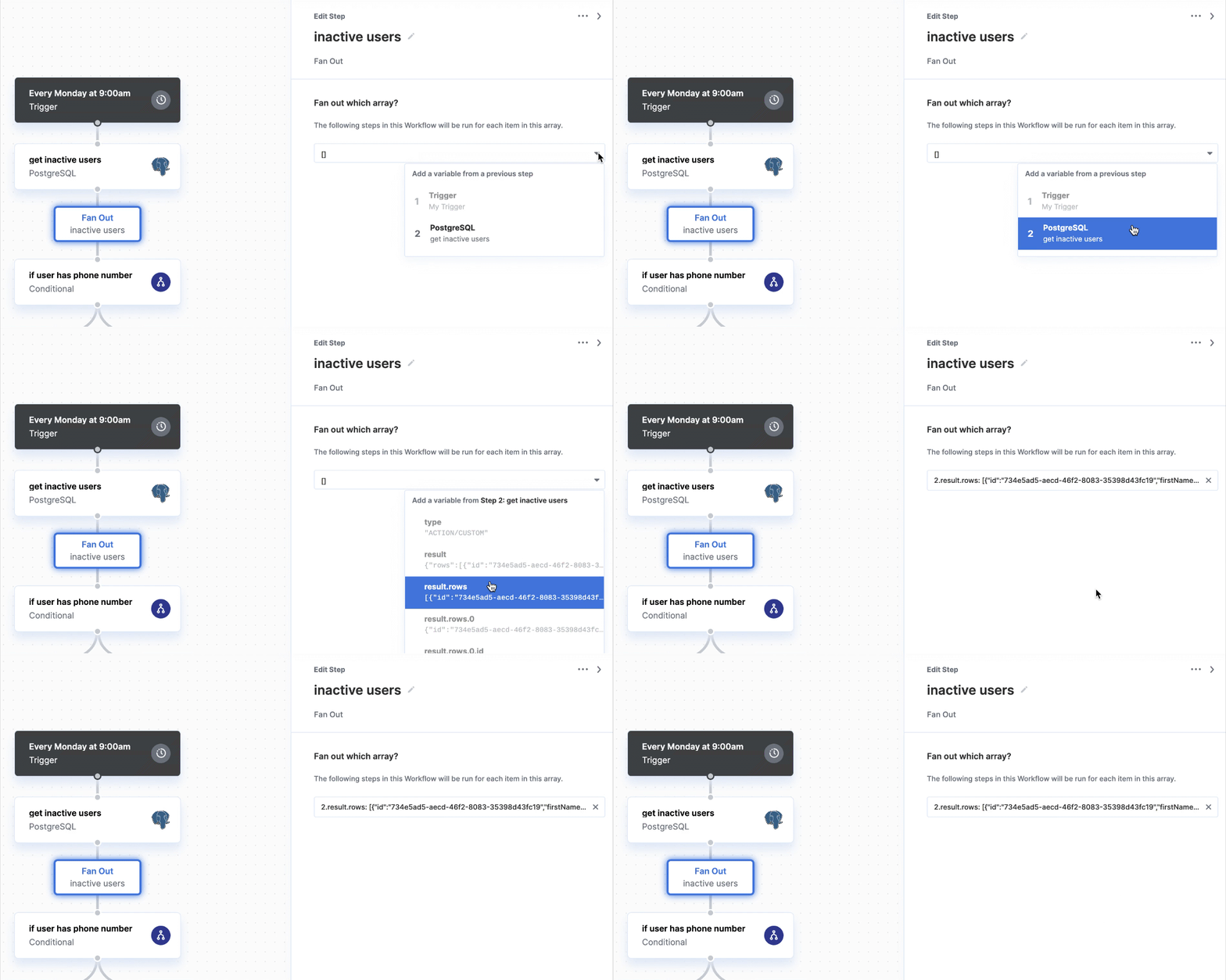
To add a Fan Out to your workflow, click the "+" button in your workflow canvas and choose Fan Out from the sidebar. Then, click the dropdown button under "Fan out which array?" to invoke the variable menu and choose the array you want to fan out.
 ## Referencing data within a Fan Out
Any steps you add within a Fan Out will run for each object in the array passed into the Fan Out. To reference the object in the array from within a Fan Out, you can reference the Fan Out's `instance` object from the variable menu.
**Note:** Iterations within a Fan Out are executed in parallel, although your
workflow will wait for all iterations to finish before proceeding to steps
after the Fan Out.
## Referencing data within a Fan Out
Any steps you add within a Fan Out will run for each object in the array passed into the Fan Out. To reference the object in the array from within a Fan Out, you can reference the Fan Out's `instance` object from the variable menu.
**Note:** Iterations within a Fan Out are executed in parallel, although your
workflow will wait for all iterations to finish before proceeding to steps
after the Fan Out.