> ## Documentation Index
> Fetch the complete documentation index at: https://docs.useparagon.com/llms.txt
> Use this file to discover all available pages before exploring further.
# ActionKit
> ActionKit is an API to give your AI agent or app access to Paragon's catalog of pre-built Integration Tools and Triggers.
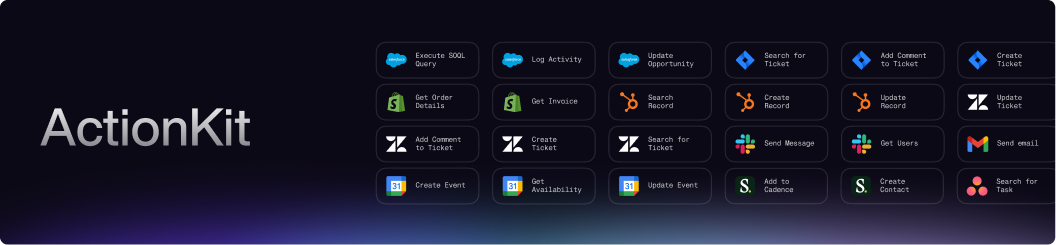 **ActionKit** exposes thousands of pre-built Tools (actions in a third-party system) and Triggers (events in a third-party system) across integrations through *one* consistent interface.
The main use cases for ActionKit include:
1. **AI agents**: Give your AI agent a deep understanding of your users' connected apps:
* Expose [Tools](/actionkit/api-reference) as capabilities to your AI agent (with our API or MCP), with agent-optimized descriptions for tool calling accuracy.
* Use [Triggers](/actionkit/triggers/overview) to listen for third-party events in your users' integrations and react to new data with your AI agent.
2. **In-app workflow builders**: Expand your in-app workflow builder with Paragon's catalog of thousands of pre-built Tools and Triggers:
* Expose [Tools](/actionkit/api-reference) as action nodes in your in-app workflow builder by rendering Tool input schemas in your UI.
* Expose [Triggers](/actionkit/triggers/overview) as trigger nodes for your users to discover and configure trigger points for their workflow automations.
3. **Front-end functions**: If your users interact with integration data in your app, use [Tools](/actionkit/api-reference) to power frontend features like displaying a table of Salesforce opportunities or a button to send a Slack notification.
4. **First-party automations**: If your app needs to react to data changes or new events from your users' connected apps, use [Triggers](/actionkit/triggers/overview) to listen for events like a new Slack @mention or new Salesforce lead.
ActionKit is built for real-life use cases, providing much deeper abstrtools that simply wrapping each 3rd-party API. As a result, this comes with benefits including:
* A universal filter schema that works across all list/search operations in any 3rd-party application (ie. "contains", "equals", "greater\_than")
* A `reload_fields` configuration that can re-pull each of your users’ dynamic fields at query-time, ensuring you have full access to their custom fields in the 3rd-party applications
* [Use case-specific schema formats](/actionkit/schema-formats) purpose-built for AI agent use cases and workflow builder implementations
**ActionKit** exposes thousands of pre-built Tools (actions in a third-party system) and Triggers (events in a third-party system) across integrations through *one* consistent interface.
The main use cases for ActionKit include:
1. **AI agents**: Give your AI agent a deep understanding of your users' connected apps:
* Expose [Tools](/actionkit/api-reference) as capabilities to your AI agent (with our API or MCP), with agent-optimized descriptions for tool calling accuracy.
* Use [Triggers](/actionkit/triggers/overview) to listen for third-party events in your users' integrations and react to new data with your AI agent.
2. **In-app workflow builders**: Expand your in-app workflow builder with Paragon's catalog of thousands of pre-built Tools and Triggers:
* Expose [Tools](/actionkit/api-reference) as action nodes in your in-app workflow builder by rendering Tool input schemas in your UI.
* Expose [Triggers](/actionkit/triggers/overview) as trigger nodes for your users to discover and configure trigger points for their workflow automations.
3. **Front-end functions**: If your users interact with integration data in your app, use [Tools](/actionkit/api-reference) to power frontend features like displaying a table of Salesforce opportunities or a button to send a Slack notification.
4. **First-party automations**: If your app needs to react to data changes or new events from your users' connected apps, use [Triggers](/actionkit/triggers/overview) to listen for events like a new Slack @mention or new Salesforce lead.
ActionKit is built for real-life use cases, providing much deeper abstrtools that simply wrapping each 3rd-party API. As a result, this comes with benefits including:
* A universal filter schema that works across all list/search operations in any 3rd-party application (ie. "contains", "equals", "greater\_than")
* A `reload_fields` configuration that can re-pull each of your users’ dynamic fields at query-time, ensuring you have full access to their custom fields in the 3rd-party applications
* [Use case-specific schema formats](/actionkit/schema-formats) purpose-built for AI agent use cases and workflow builder implementations